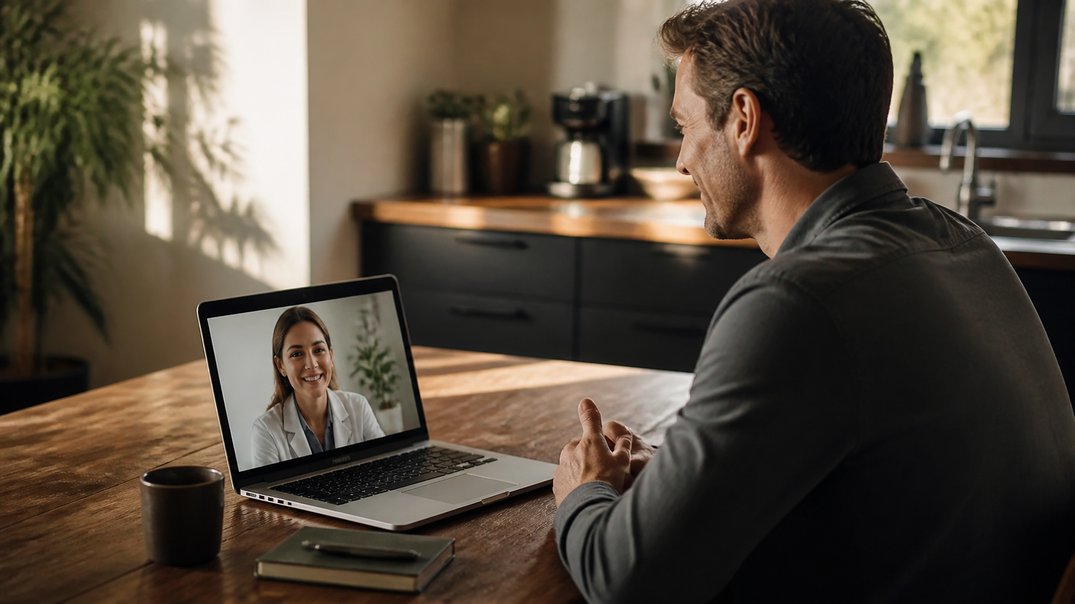
Telehealth etiquette comes down to a few easy habits that make your virtual visit smoother and more productive. Good lighting, a quiet space, and a short list of questions help your clinician focus on you. Here is how to set up your space, show up prepared, and communicate clearly so every appointment counts.
Set Up Your Space for a Smooth Virtual Visit
Your setup shapes how well the visit goes. HHS recommends choosing a quiet place with good internet where you can speak openly. Once you are logged in, make sure the lighting lets your clinician see you clearly. Set your device on a desk or stand so the camera does not move, center your face on the screen, and place the camera at eye level. Test your speakers or earphones and adjust the volume, then close other programs and apps to reduce distractions. A few minutes of setup helps your clinician focus on what you say instead of on technical details, and it makes the whole visit feel more like an in-person conversation.
Show Up Prepared and Present
Good etiquette starts with timing. HHS suggests signing on early, and if the video fails, you can message your provider or call the office. Join from a place where you can give the visit your full attention, and avoid eating or drinking during the appointment. HHS also advises against joining while driving or running errands. Provider delays can happen, just as they do in person, so a little patience goes a long way. Preparation helps too. Keep these items handy:
- A list of your medications, doses, and allergies
- Your questions, written in order of importance
- Paper and a pen for notes
Communicate Clearly and Protect Your Privacy
Speak openly and in your own words, and ask your clinician to explain anything that is unclear. Repeat the plan back to confirm you understood it. For privacy, HHS recommends choosing a private location, using the patient portal for messages, looking for the lock icon on a secure website, and skipping public WiFi. HHS also advises against recording the visit, so take notes by hand instead. These habits protect your information and show respect for your clinician’s time. When you leave the visit knowing your next steps, the appointment has done its job, and your follow-up can pick up right where you left off.
Frequently Asked Questions
What Should I Wear to a Telehealth Visit?
Wear comfortable clothing that lets you show the area of concern if your clinician asks. Good lighting and a centered camera matter more than anything else, so check them before you begin.
Should I Sign On Early for a Telehealth Appointment?
Yes. HHS suggests signing on early so you have time to fix any technical problems. If the video does not work, message your provider or call the office.
Can I Eat or Drink During My Appointment?
HHS suggests avoiding eating or drinking during the visit so you can give your full attention. Plan your meal or coffee before or after, and keep your focus on the conversation.
Is It Okay to Record My Telehealth Visit?
HHS advises against recording the visit to help protect privacy. Taking handwritten notes works well, and your provider can clarify anything you miss through the patient portal.
Good to Know
Telehealth is not right for every situation. Emergencies, severe symptoms, and conditions that need a hands-on exam call for in-person care, so call 911 or go to the nearest emergency room when needed. Tell your clinician about all medications, allergies, and conditions, and mention if you are pregnant or breastfeeding. Side effects depend on any medication prescribed, and your clinician reviews them with you. Avoid sites that sell prescription drugs without a prescription.
Make Your Next Visit Count With a Licensed Clinician
A well-prepared visit sets you up for a better conversation. Complete an online assessment, have an independent licensed clinician review your health history, and, when a prescription is appropriate, receive your medication from a licensed pharmacy that delivers to your door. Explore your options today.
This article is for education only and is not medical advice.